
A Practical Guide to Self-Hosting Large Language Models on Your Own GPU
By GPU Alpha
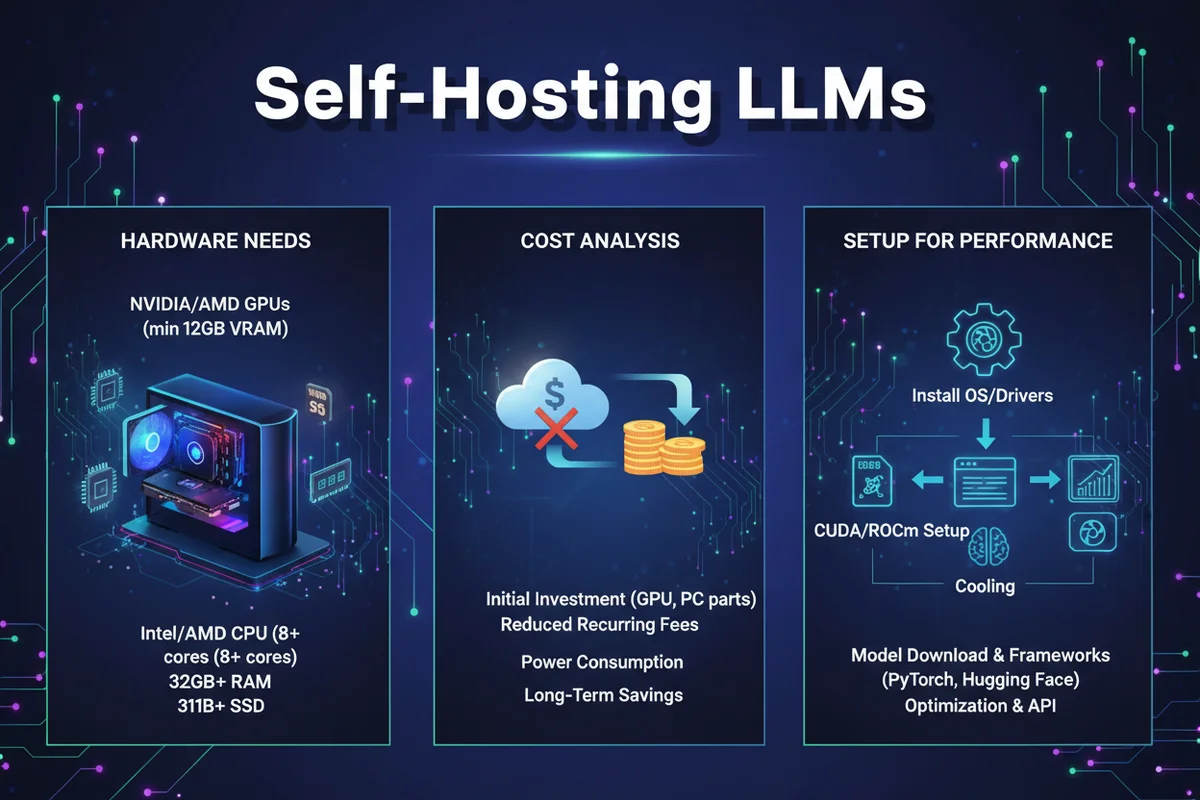
Learn how to self-host large language models on your GPU, covering hardware needs, cost analysis, and setup for optimal performance.
A Practical Guide to Self-Hosting Large Language Models on Your Own GPU
Self-hosting a large language model (LLM) means running the model on your own hardware rather than sending requests to a third-party API. For developers and teams with consistent, high-volume workloads, this approach can reduce costs significantly and give you greater control over data privacy, latency, and model selection. This guide walks through what hardware you need, how to estimate costs, and how to get a working environment up and running.
Understanding GPU Requirements
The most important hardware decision when self-hosting an LLM is choosing a GPU with enough VRAM. VRAM, or video random access memory, is the dedicated memory on a graphics card that holds the model weights during inference. If your GPU does not have enough VRAM to load the full model, it either will not run or will fall back to much slower system RAM.
Model size is measured in parameters, and the VRAM requirement scales with that number. According to aitoolscope.net, the approximate VRAM requirements at standard precision are as follows:
- A 7B parameter model requires around 16GB of VRAM
- A 13B parameter model requires around 19.5GB of VRAM
- A 34B parameter model requires around 51GB of VRAM
- A 70B parameter model requires around 105GB of VRAM
For entry-level use, a consumer GPU with 8GB of VRAM can handle smaller quantised versions of 7B to 13B models. Quantisation is a technique that reduces the numerical precision of model weights, shrinking the memory footprint at a modest cost to output quality. For anything above 13B parameters at full precision, you will need a GPU with at least 24GB of VRAM, or multiple GPUs working together.
The NVIDIA RTX 4090 with 24GB of VRAM is a popular choice for running 7B models comfortably. For 34B and larger models, professional-grade cards like the NVIDIA RTX Pro 5000 with 48GB of VRAM become necessary. Models at the 70B parameter scale require either multiple high-VRAM GPUs or specialised data centre hardware.
Cost Analysis: Self-Hosting vs Cloud APIs
Self-hosting is not automatically cheaper than using a cloud API. The economics depend heavily on how much you use the model each day.
gpu-mart.com provides a useful comparison. A team processing around 2 million tokens per day through a commercial API might spend approximately $600 per month. Renting a GPU server equipped with an RTX Pro 5000 (48GB VRAM) to run an equivalent open-weight model costs around $269 per month, representing a meaningful saving at that usage level.
However, for lower-volume workloads under roughly 500,000 tokens per day, the API pricing may actually be more economical than maintaining dedicated GPU infrastructure. The fixed cost of a GPU server or owned hardware needs to be justified by consistent, high throughput. If your usage is irregular or low, a pay-per-token API is likely the more practical choice.
When evaluating costs, factor in not just the GPU rental or purchase price but also electricity, storage, system RAM, and the engineering time required to maintain the setup.
Hardware Specifications Beyond the GPU
The GPU is the centrepiece, but a complete self-hosted LLM setup requires several other components to function well.
System RAM needs to be sufficient to support the GPU and handle data preprocessing. For smaller models, 16GB of system RAM is a reasonable baseline. Larger models and multi-GPU configurations will benefit from 64GB or more.
Storage requirements depend on model size. A 7B parameter model in standard precision takes roughly 14GB on disk, while a 70B model can exceed 140GB. Solid-state storage is strongly recommended for faster model loading times. A starting allocation of 50GB is adequate for small models, but larger deployments should plan for several hundred gigabytes.
Networking matters if you are running inference across multiple GPUs or serving requests to multiple users. dev.to notes that 10GbE (10 Gigabit Ethernet) or InfiniBand connections are important for efficient data transfer in multi-GPU or multi-node setups.
Setting Up the Software Environment
Once your hardware is in place, the software stack determines how efficiently your model runs.
Step 1: Install drivers and CUDA. CUDA is NVIDIA's parallel computing platform, and it is required to run most LLM inference frameworks on NVIDIA GPUs. Install the latest NVIDIA drivers for your operating system, then install the appropriate CUDA toolkit from NVIDIA's official site.
Step 2: Choose an inference framework. Two widely used options are vLLM and NVIDIA's TensorRT-LLM. vLLM is an open-source framework that supports tensor parallelism, meaning it can split a model across multiple GPUs, and it is well suited to serving multiple concurrent requests. TensorRT-LLM is NVIDIA's optimised inference engine, designed to maximise throughput on NVIDIA hardware. According to cookbook.openai.com, TensorRT-LLM can be used to run models like OpenAI's gpt-oss-20b efficiently on NVIDIA GPUs.
Step 3: Select and download your model. Hugging Face is the most common repository for open-weight models. You can browse available models, check their VRAM requirements, and download them using the Hugging Face CLI or Python library. Always verify the model licence before deploying it in a production context.
Step 4: Configure and launch the server. Both vLLM and TensorRT-LLM can expose an OpenAI-compatible API endpoint, which makes it straightforward to swap a self-hosted model into applications already built against the OpenAI API. Configure the number of GPU workers, maximum batch size, and context length based on your hardware and expected workload, then start the server.
Step 5: Test the deployment. Send a few test prompts using curl or a simple Python script to confirm the model is responding correctly. Monitor GPU VRAM usage and response latency to identify any configuration adjustments needed.
Emerging Trends Making Self-Hosting More Accessible
The hardware requirements for capable LLMs are gradually decreasing. Tom's Hardware reports that OpenAI's gpt-oss-20b is optimised to run on devices with just 16GB of memory, making it accessible on consumer-grade hardware. This trend toward efficient, open-weight models is broadening the range of developers who can realistically self-host without enterprise-grade infrastructure.
Key Resources
- gpu-mart.com Self-Hosted LLM Guide for cost comparisons and GPU selection advice
- aitoolscope.net Hardware Configurations Guide for detailed VRAM requirement tables
- OpenAI Cookbook: Running gpt-oss on NVIDIA for TensorRT-LLM setup instructions
- Hugging Face Model Hub for browsing and downloading open-weight models
- vLLM Documentation for multi-GPU inference configuration
Self-hosting an LLM is a practical option for teams with consistent, high-volume inference needs and the technical capacity to manage the infrastructure. Matching your GPU choice to your model's VRAM requirements is the most critical decision, and the cost case becomes compelling once daily token volumes are high enough to outweigh the overhead of maintaining your own hardware.